Product
Slides at the speed of sound
Patent-pending live visual technology that turns spoken conversation into clean slides, charts, maps, 3D models, docked videos, and AI follow-ups in real time — without typing a single prompt.
Why real-time voice is a different category from prompt-to-deck tools
For decades, showing took longer than saying. Even modern AI deck generators still force you to stop, type a prompt, wait a minute for a batch of slides, and then fix the layout by hand before anyone ever joins the meeting.
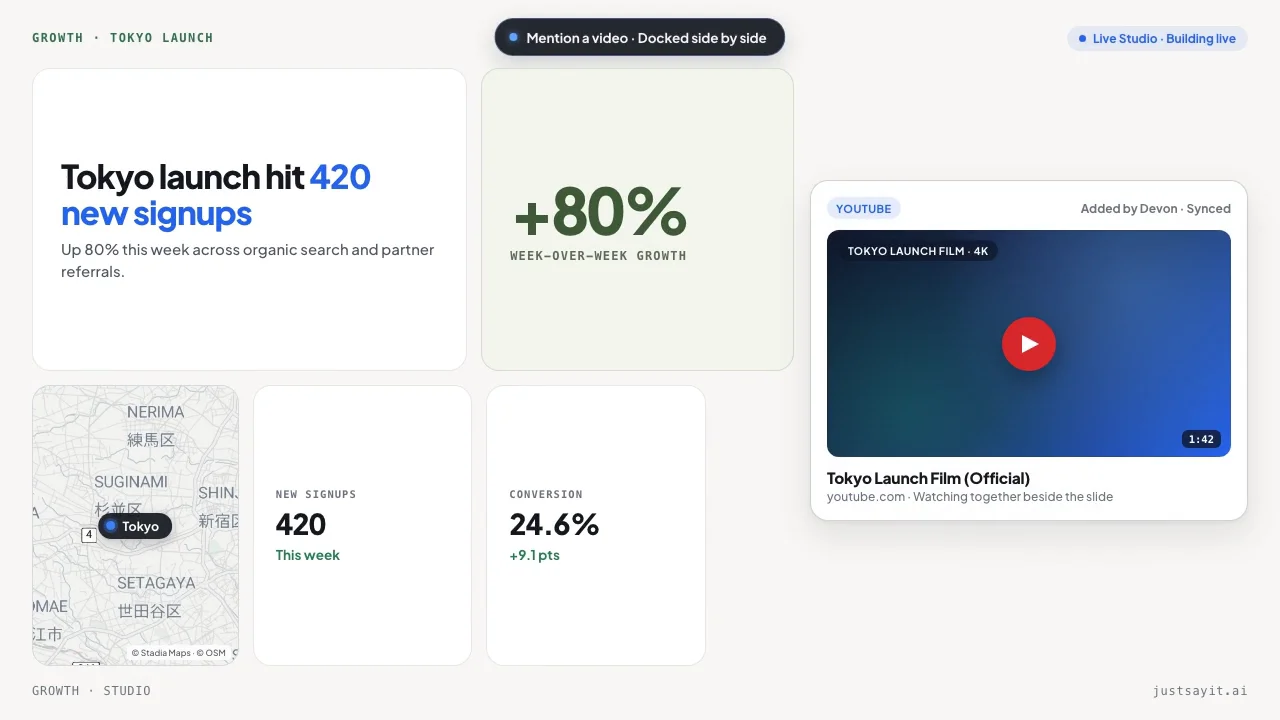
Just Say It flips the order. You open a room and start talking. As soon as someone speaks a figure, names a city, mentions a video, or asks how something works, the screen composes itself cleanly beside the conversation — keeping the room moving at the speed of human speech.
What happens on screen as people talk
- Spoken numbers become live charts and KPI cards as soon as the sentence lands — no spreadsheets or chart builders.
- Places open on real maps, and asking to zoom in moves the map on every screen in the room together.
- Mentioned YouTube videos and podcasts surface a private offer chip, then dock cleanly side by side beside the resized slide so nothing covers your talking points.
- Physical objects and scientific topics assemble into interactive 3D models you can orbit, step through, or ask Ziggy to zoom into by voice.
- Commitments made out loud trigger seat-private agent handoffs to Claude, Cursor, ChatGPT, or email — stacking cleanly alongside the slide without interrupting the call.
Live voice vs. prompt-and-wait slides
| Capability | Just Say It (Live Voice) | Prompt-to-Deck Tools | Traditional Slides |
|---|---|---|---|
| How slides are created | Built live from natural speech | Typed prompt before the meeting | Built manually slide by slide |
| Time from idea to visual | Sub-second after a spoken phrase | 30–90 seconds per batch run | Hours of prep before the call |
| Charts, maps & 3D models | Composed automatically mid-talk | Static text or manual embeds | Built in external apps |
| Mentioned videos | Docks side by side in sync | Leave the deck and share tab | Paste link and exit fullscreen |
| Follow-up work | Handed straight to Claude or Cursor | Manual copy-paste after call | Written from memory later |
Fast without visual chaos
Speed alone is useless if a screen flickers on every word. Just Say It uses deterministic layout geometry, calm dwell timing, and structured visual rules so every slide stays readable, balanced, and grounded in what the room actually said.
When the meeting ends, every topic is already saved as a downloadable PDF deck, structured meeting notes, a synced replay, and optional one-tap agent handoffs. Explore how teams use it in work meetings, sales demos, classrooms, and AI agent workflows.
Questions
- Do I have to speak special commands for slides to appear?
- No. Talk naturally the way you already run a meeting or lesson. Just Say It recognizes figures, places, lists, comparisons, and topic shifts automatically, and you can also ask Ziggy directly whenever you want a specific visual.
- What if someone mentions a video and a follow-up in the same meeting?
- They add up cleanly instead of replacing each other. Clicking “Add to slide” resizes the slide to the left and docks the video on the right, while private AI handoff chips stack neatly without hiding the video.
- Does it work on iPhone, iPad, Android, and desktop browsers?
- Yes. Start in any modern desktop browser with nothing to install, or use the Just Say It mobile apps on iPhone, iPad, and Android.
- Can I try it right now without creating an account?
- Yes. You get ten free minutes in a live room with no account and no credit card required.
Hear it and see it live
Open a room, say one sentence with a number or a place, and watch the screen keep up. Start free — no account, no card.
Last updated 2026-11-27.