Product
Just Say It for iPhone, iPad and Android
Bring live slides, written notes, and Ziggy to every conversation on iPhone, iPad, and Android — even on regular phone calls.
iPhone · iPad · Android
Your standing rooms, live slides, and Ziggy — right in your pocket.
Lock your screen without losing audio, hold your seat through incoming cellular calls, and merge Just Say It into any phone call with one tap.
Inside the app · Dark & Warm Light
Work, teaching, games, memes & calls — built for phones.
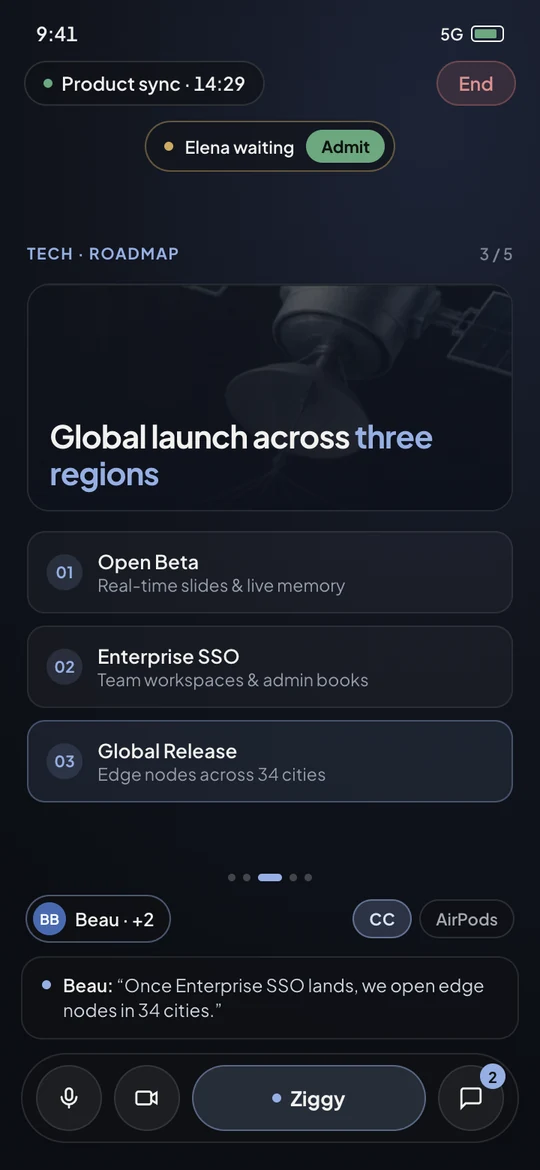
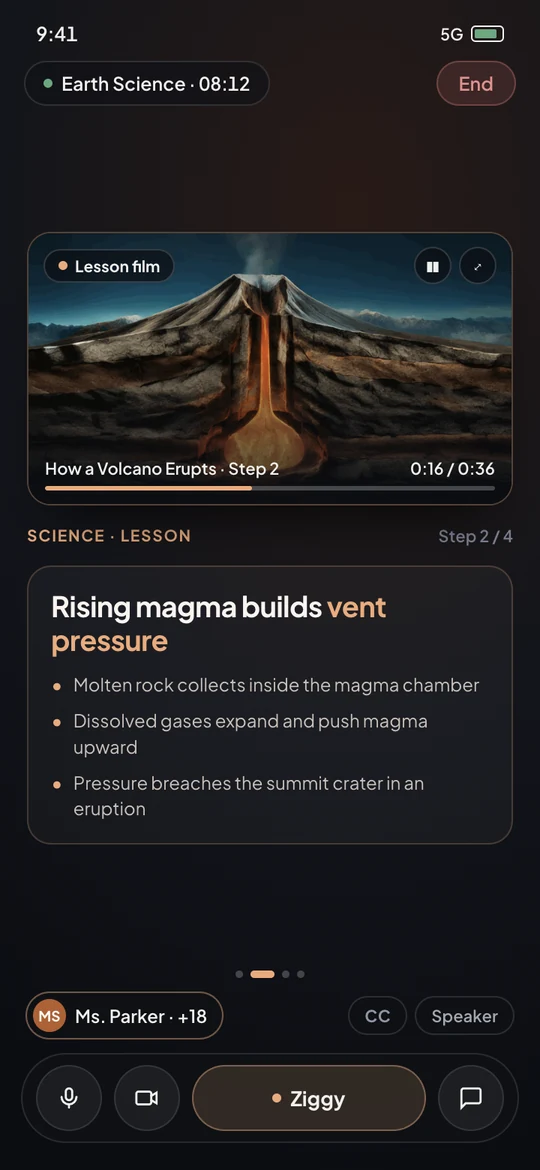
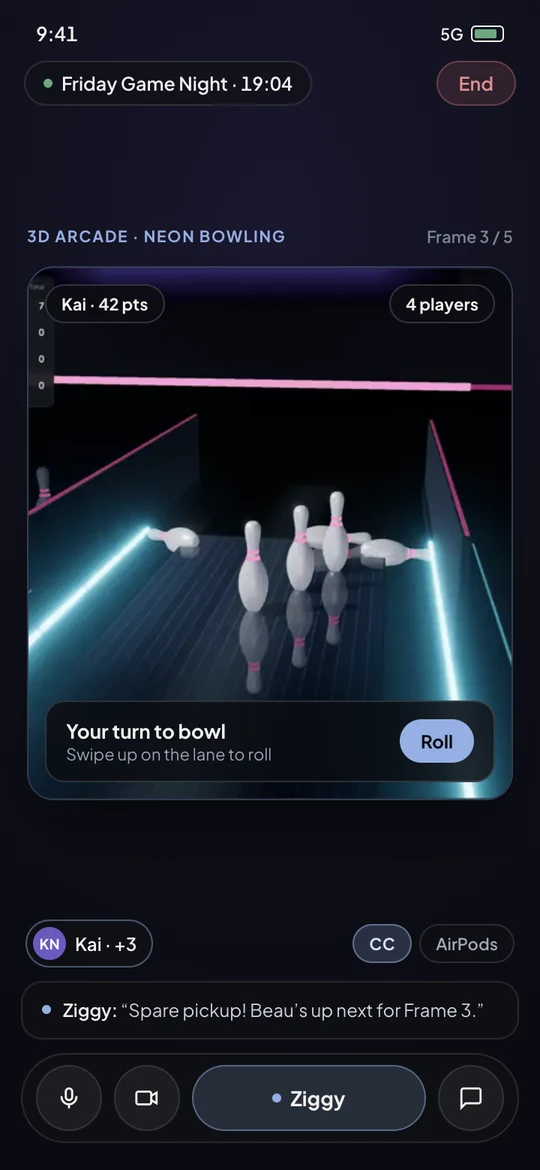
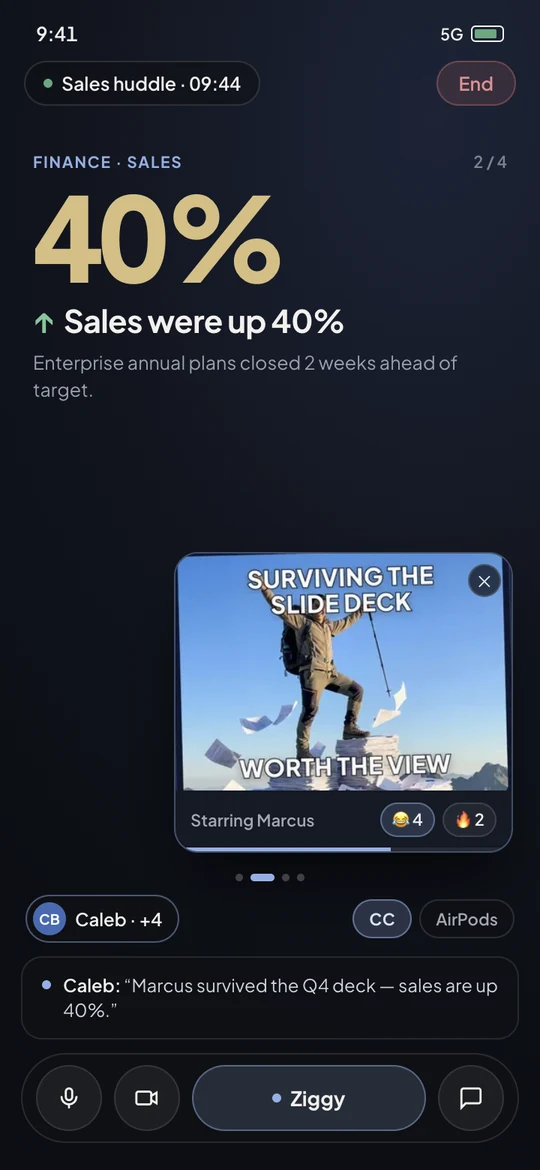
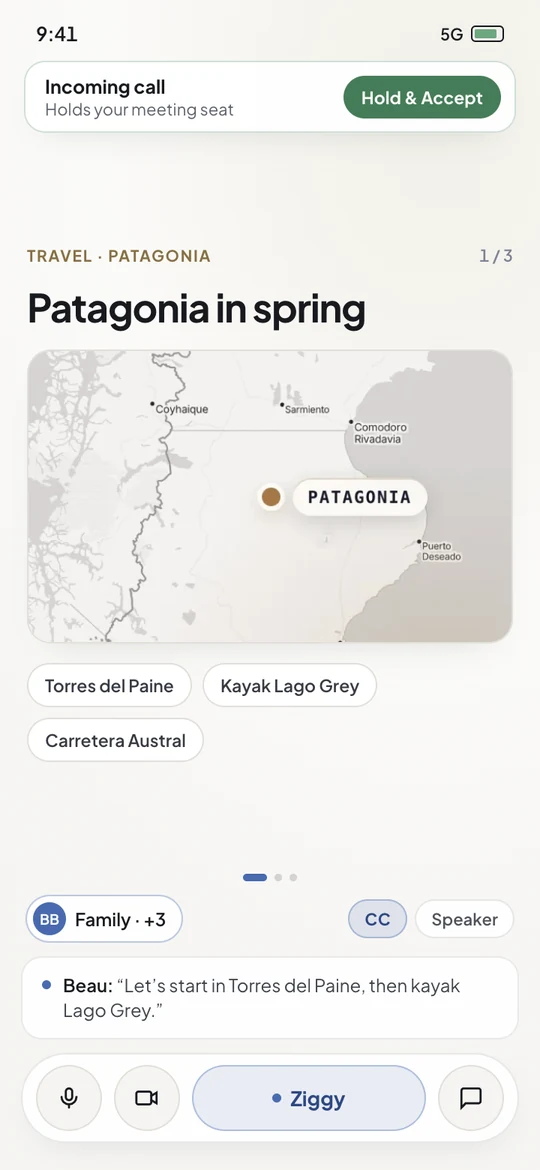
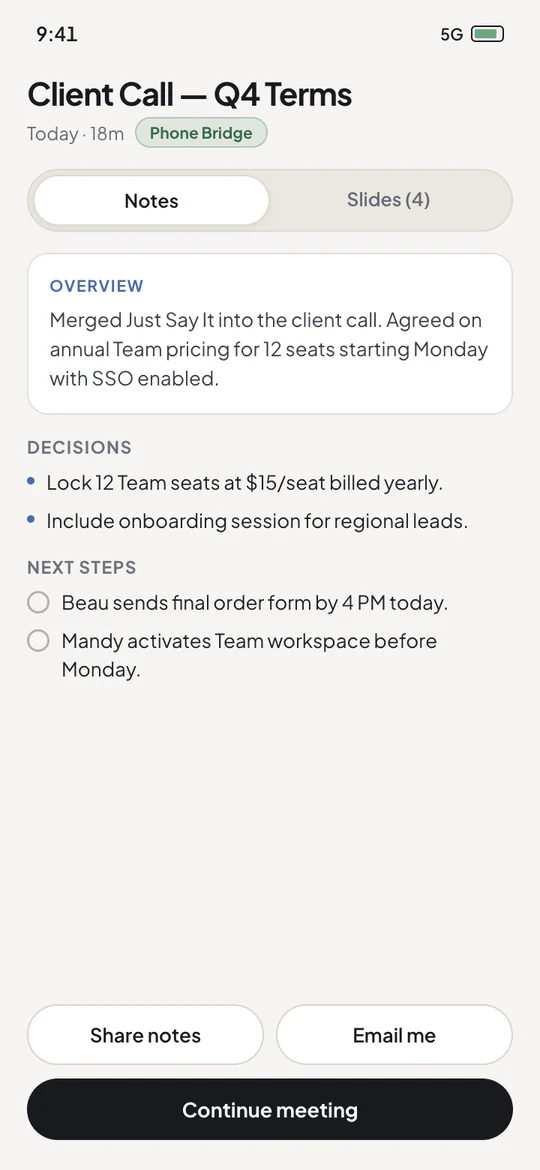
Merge Ziggy into any call
Tap Add Call → Just Say It → Merge during any regular phone call. A brief notice plays, live slides build in your room, and Ziggy stays quiet until woken by name.
Never dropped by a call
Incoming phone calls offer Hold & Accept instead of cutting you off. Your seat stays reserved and audio resumes cleanly the instant you hang up.
Tap straight into live slides
Get quiet push alerts when someone knocks at your room, a bridged call starts, a film finishes rendering, or written notes and decisions are ready.
Why use the native mobile app
Just Say It works in any modern desktop or mobile browser, and the native mobile app unlocks the phone capabilities browsers cannot reach. Your meeting stays connected when your screen locks, switches smoothly between AirPods, Bluetooth headsets, speakerphone, and earpiece, and stays alive when an incoming cellular call rings.
Every slide archetype stays in sync with the web app — editorial headlines, live charts, rankings, maps, 3D scenes, quizzes, polls, and generated films — while audio, camera, and call controls run natively on your device.
Phone calls never disconnect your meeting
When you join a room from the Just Say It mobile app, your active meeting registers natively with Apple CallKit on iPhone and iPad and Android Telecom on Android. If a regular phone call comes in mid-meeting, your phone offers Hold and Accept instead of kicking you out of the room.
Answering puts your Just Say It mic and speaker on calm hold while keeping your seat reserved for other participants. The moment your phone call finishes, your meeting resumes cleanly without rejoining.
Merge Ziggy into any regular phone call
With Phone Call Bridge, you can turn any standard cellular call into a live Just Say It session. Link and verify your phone number once inside Settings, save the Just Say It bridge number to Contacts in one tap, and during any phone call simply tap Add Call, dial Just Say It, and tap Merge.
Just Say It plays a brief recording and live transcription notice on the line, streams the call into your standing room for real-time slides and written notes, and sends a quiet push alert to your phone so one tap opens the live slides. By default Ziggy stays silent until someone addresses Ziggy by name, and you can switch to Active or Notes only at any time.
Private by design
- Sign-in tokens stay inside your phone’s native secure Keychain or Keystore — never in plain browser storage.
- Push notifications alert you when someone knocks at your standing room door, when a generated film finishes, when written notes are ready, or when a phone call bridges in.
- Opening any Just Say It room link or shared notes link on your phone jumps straight into the native app.
Last updated 2026-11-26.