Compare
Just Say It vs Read AI
Read AI and Just Say It, side by side: what each makes, when it works, and what it costs — Read AI’s facts from its own pages, read 2026-11-24.
The short answer
Choose Read AI when you want one assistant searching across your Zoom, Meet and Teams calls, email inbox and messaging channels — with meeting metrics and coaching. Choose Just Say It when you want the meeting itself to come alive: studio slides, charts, walk-in 3D maps and lessons build on everyone’s screen as people speak, notes and private memory stay scoped to your rooms, two-way MCP hands work straight to Claude or Cursor, and guests join free in any browser.
Side by side
| Compared on | Read AI | Just Say It |
|---|---|---|
| What it makes | Meeting summaries, transcripts, highlight reels, personalized meeting coaching, email/message Readouts and Ask Read enterprise search (Read AI, plans). | One live browser room that replaces separate deck, note-taker and game tools: AI-redesigned studio slides, charts from spoken numbers, faces, walk-in 3D maps, synced YouTube Watch Together, 200+ illustrated documentary lessons, 55+ live 3D scenes, AI recap films, 3D escape rooms and neon arcade games, and structured notes. |
| When it works | Before the meeting (calendar/email context), during it (live capture across platforms) and after it (recaps, playback and cross-tool search) (Read AI). | Live during the conversation as each sentence is spoken — and immediately after, as connected AI agents pick up deliverables over MCP. |
| What you give it | Zoom, Google Meet and Microsoft Teams calls, mobile in-person capture, uploaded audio/video files, plus connected email, chat and CRM tools (Read AI, plans). | Just people talking in the browser. Zero deck prep, zero uploads, zero app downloads for guests. |
| Meetings and rooms | Works across Zoom, Google Meet and Microsoft Teams; it is not a video meeting room of its own (Read AI). | Its own zero-install browser rooms with camera, microphone and screen share — only the host needs a plan (pricing, plus Enterprise for larger organisations) — and Ziggy can also join Google Meet and Microsoft Teams calls live on Pro and Team. |
| Notes | Automated meeting reports, action items, Topic Readouts and workspace sharing (plans, Workspaces). | Written live per topic, emailed as a clean digest at wrap, and handed straight to your AI agent (Claude, Cursor, ChatGPT, Codex, Grok, VS Code) over two-way Streamable HTTP MCP; every session kept as a replay, downloadable PDF deck and notes. |
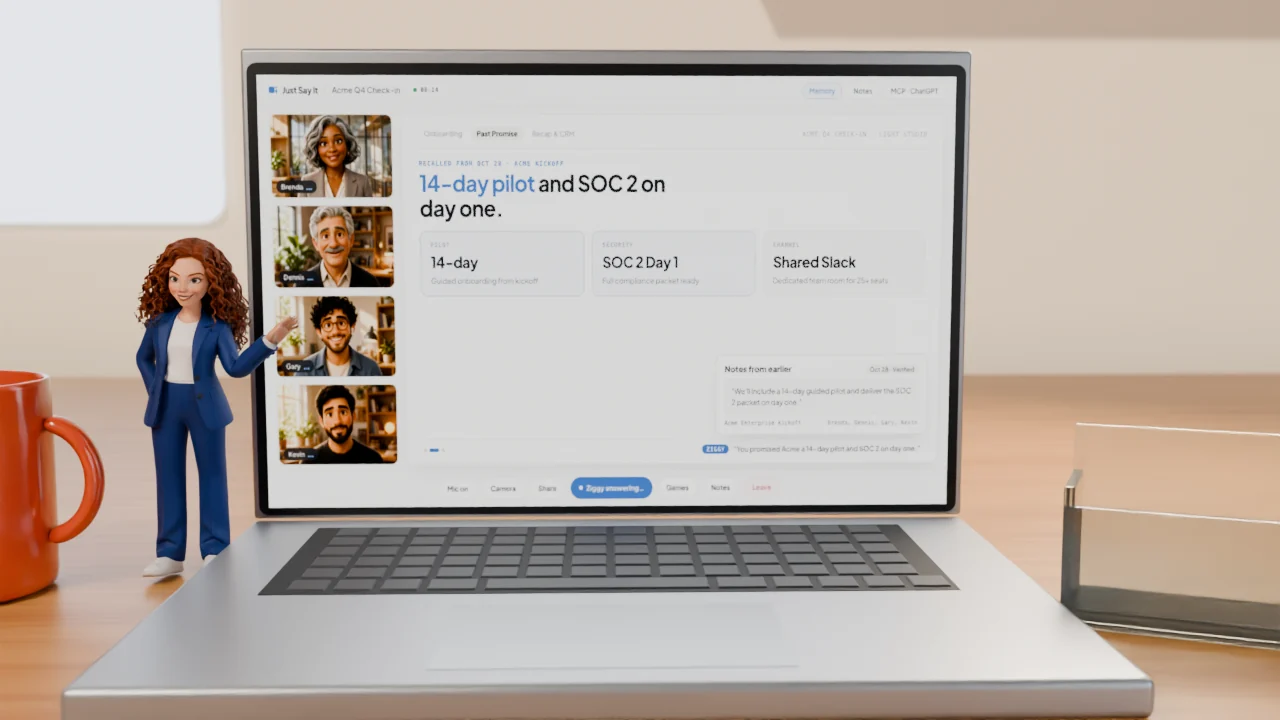
| Earlier meetings | Unlimited Ask Read enterprise search across meetings, emails and messages, plus Ada, its AI executive assistant (Read AI, plans). | Answers what was decided in earlier meetings out loud and on screen — strictly scoped to conversations the people in the room took part in. |
| Paid plans | Pro $15/user/mo ($19.75 monthly); Enterprise $22.50/user/mo ($29.75 monthly); Enterprise+ $29.75/user/mo ($39.75 monthly, 5-license min) — annual rates shown first (plans). | Pro $20 a month, or $18.33 billed yearly; Team $15 a month, or $13.75 billed yearly — only the host pays, guests join free (pricing). |
| Free to start | Yes — Free plan with 5 meetings per month (up to 1 hour each), unlimited Ask Read search and personalized meeting coaching (plans). | Yes — 10 minutes right now with no account and no card, then 30 minutes a month free with an account (pricing). |
Where Read AI is better
- Unified search across more than meetings: connects email, Slack/Teams messages, calendars and CRMs (Salesforce, HubSpot, Notion, Jira, Confluence).
- Meeting analytics and coaching: sentiment, engagement, Read Score and personalized speaking feedback.
- Supports 20+ languages, audio/video file uploads (100–300 minutes/month on paid plans) and desktop/mobile apps.
- Enterprise+ governance: SOC 2 Type II, GDPR, HIPAA compliance, SAML SSO, SCIM, domain capture and audit logs.
Where Just Say It is different
- Everyone in the meeting sees the conversation take shape live on one shared screen — studio slides, charts from spoken numbers, faces, walk-in 3D maps, 200+ illustrated lessons and synced videos — instead of waiting for text afterwards.
- Topic-by-topic notes are emailed at wrap, searchable across your past meetings, and wired over two-way Streamable HTTP MCP to Claude, Cursor, ChatGPT, Codex, Grok and VS Code so follow-up work starts during or right after the call.
- Zero-install browser rooms where only the host needs a plan — plus on Pro and Team Ziggy can also join Google Meet and Microsoft Teams calls live, and any meeting can become a custom AI recap film.
- Games are built in: say “let’s play a game” and the room is playing — 3D escape rooms with live-camera avatars, interactive film adventures, a 3D neon arcade, trivia, quizzes on any subject, or a game someone describes — with nothing to add or install. The games.
Using both
Read AI to unify search across your email, chat and existing Zoom or Teams calls; Just Say It for conversations that need a shared screen building live in front of everyone — pitches, lessons, planning sessions and team games.
Questions
- Is Just Say It an alternative to Read AI?
- For meeting notes, recaps and searching past decisions, they overlap — and both connect over MCP to Claude and ChatGPT. Read AI spans email, chat and external video calls; Just Say It is the room itself, building a live visual screen as everyone talks.
- Does Read AI have a free plan?
- Yes — Read AI’s free plan includes 5 meetings per month up to 1 hour each. Just Say It gives 10 minutes with no account and no card, then 30 minutes a month free with an account.
- How are their approaches to privacy and recording different?
- Read AI joins calls across Zoom, Meet and Teams and indexes connected email and messages into its workspace search. Just Say It runs in its own browser room (or joins Meet and Teams on Pro/Team without recording those external calls), keeping memory scoped strictly to meetings the people in the room attended.
Sources
Every fact about Read AI on this page was read on its own pages on 2026-11-24. Plans and prices change — check them at the source before you decide. Nothing here rates or ranks Read AI; Just Say It’s own facts are on its features and pricing pages, and the other comparisons on the comparison page.
- Read AI — read 2026-11-24
- Read Help Center — plans and pricing — read 2026-11-24
- Read Help Center — paid plans in Workspaces — read 2026-11-24
Last updated 2026-11-24.